.png)
Presenter Brief
Thank you for taking part as a speaker for our Recognise and Refer CPD series. This page will provide you with some helpful information to prepare for your presentation.
Tech Support: 0439 831 294
Email: events@dentalhealthnetwork.com.au
Book a Test Run
To help make sure we iron out any tech requirements prior to your presentation we need you to schedule a Tech Test Run.
This will give us a chance to introduce you to our presentation platform and also ensure that you have everything you need to easily share your presentation.
A test run will take between 15-30 minutes.
Please use the booking tool below to schedule your test run.
Preparing Your Presentation
One week prior to your presentation, we will need you to send us your slide deck for proofing to ensure our team is familiar with the content and can ensure consistent branding/formatting throughout all the presentations.
Microsoft Powerpoint and Google Slides are the most popular options for putting together your presentation.
Both will work well. However, we generally prefer Google Slides as it is easier to share, collaborate and provide tech support.
Google Slides is a free service available with every Gmail account.
Note: If you would like to share a video during your presentation please let our team know so that we can upload the video into our presentation platform for smooth playback during your presentation.
Accessing The Presentation Room
We use an online presentation platform called Demio that works using your web browser. This means that you do not need to download any software to participate. Simply open the unique link we provide in your web browser and follow the prompts to enter the online presentation room.
Step 1: Open the presentation link in your web browser
- Our team will send your link prior to the presentation.
- You will receive reminder emails prior to your presentation that will include your access link. 24 hours before, 1 hour before and 15 minutes before your presentation.
- If you lose your link simply let our team know (by calling Steve on 0439 831 294) and we can send it to you again.
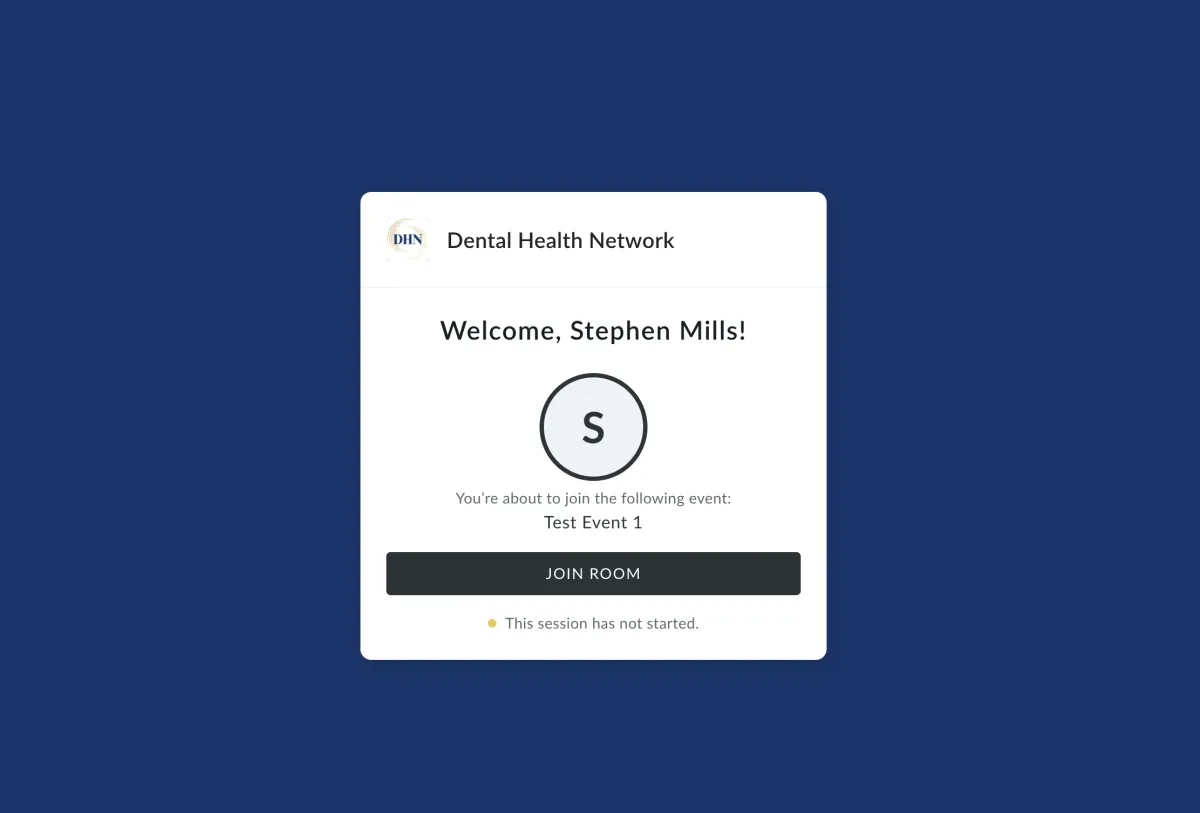
Step 2: Click 'Join Room'
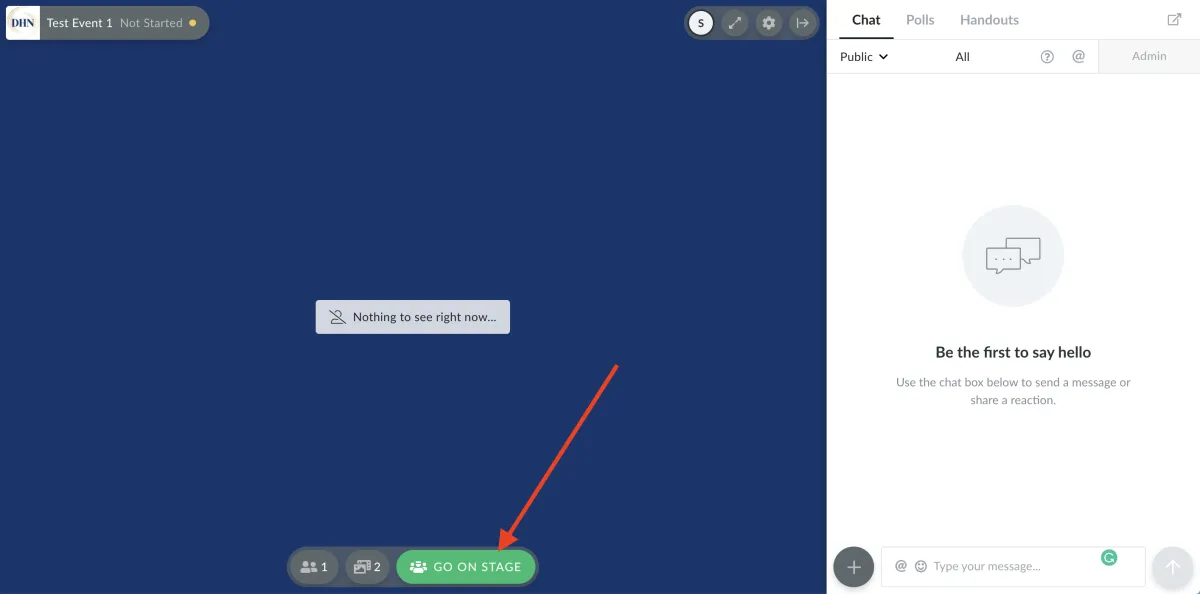
Step 3: Click ‘Go On Stage’
To turn on your camera click the green ‘Go On Stage’ button.
NOTE: This does not set the stream live. It simply turns on your camera.
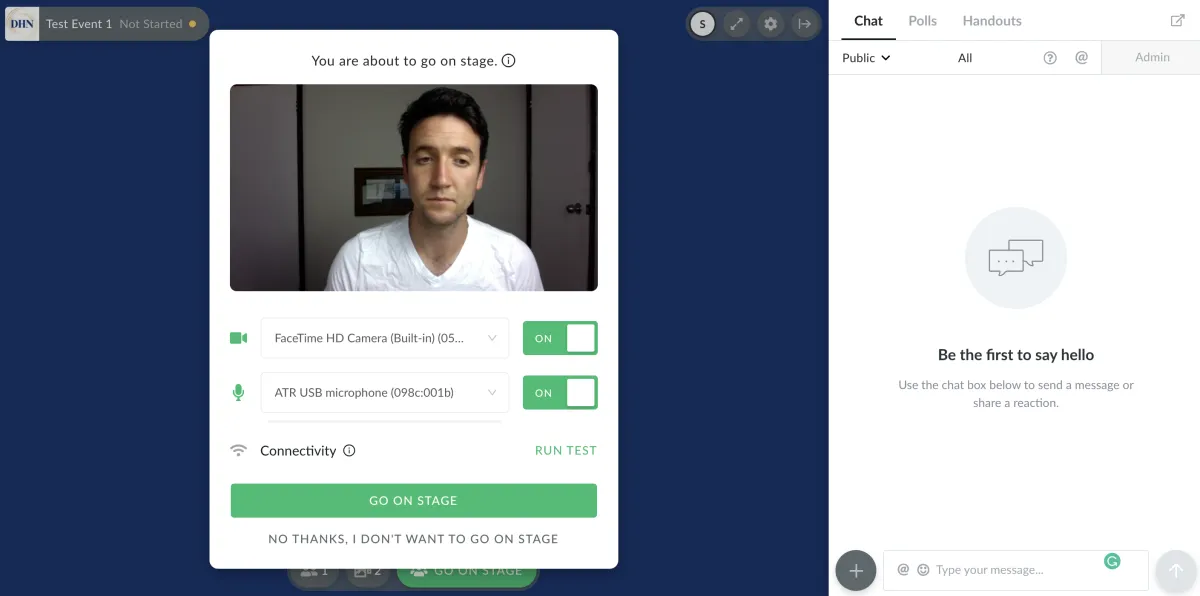
Step 4: Choose your camera and microphone
Select your camera and microphone from the drop-down menus then click Go On Stage
Access Presentation Room Video Tutorial